





Transform your event planning from "meh" to magic! 🪄🌟
Sched's event scheduling software gives you the tools you need to plan events like a pro (even if you're not one!). Build your schedule, manage attendees, gather feedback, and more.
Turn "I hope this goes well…" into "That. Was. Epic!"
- Eliminate time-consuming and stressful tasks
- Unlimited free participants for smaller gatherings
- Collaborate seamlessly with your team
- Plan unlimited events
- Education & non-profit discounts
- Try before you buy
Schedule management software features
Meet your all-in-one AI event planning toolkit! 🔧💫


Conference &
festival scheduling software
Whether scheduling a large or small event, Sched software is easy for speakers, attendees, and event planners alike.

Schools &
continuing education events
Empower professionals, educators, teachers, and students to organize their in-person, virtual and hybrid event schedules.

Conferences &
professional development
Make multi-track events easy to schedule by connecting speakers, moderators, and educators with attendees.

Conventions,
symposiums & forums
Give vendors, sponsors, and speakers the ability to create, edit, and promote all types of great event content.

Festivals &
expositions
Simplify any event with parallel performances, sessions, tracks, exhibits, or venues.
Ready to learn more?


In-Person
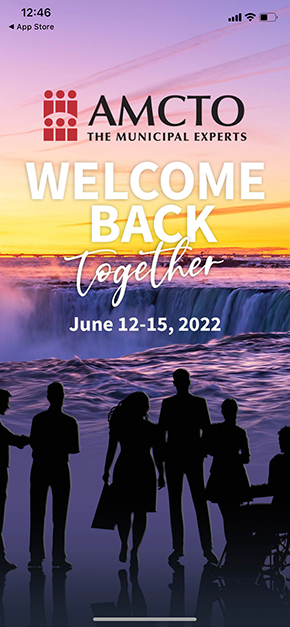
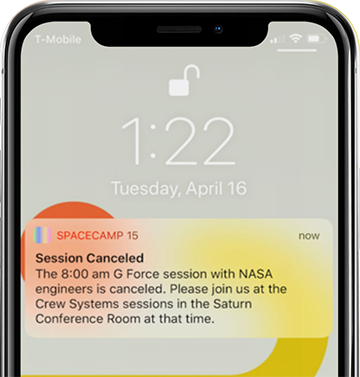
Plan great in-person events, manage room capacities, broadcast event updates and leverage the Sched mobile app for session check-ins and personalized schedules.

Virtual
Enjoy all the session content at your fingertips from a computer, tablet, or smartphone. Attendees can use all the same in-person scheduling features adapted to an online environment.

Hybrid
The best of both worlds is a hybrid event that maximizes online accessibility while providing all the benefits of in-person events with the convenience of online access.
Our clients
Sched scheduling software has been used
for over 25,000 events and by over 10 million users
See sched in action
Don't just
take our word for it...
take our word for it...
Jay Wertzler explains how Sched was instrumental in helping him and his remote team orchestrate the popular comedy festival, SF Sketchfest.





" Sched provided a user friendly, "neat" way of organizing the event, even for a beginner. I could focus on other aspects of the event and have complete peace of mind about scheduling. Favorite thing about Sched was the layout and customization of the landing page, and automatic feedback/messaging from attendees. "

" We decided to move to a paperless conference and wanted to find a program that could meet our needs and be affordable. Sched exceeded our expectations. We appreciate that our attendees have access to materials after the conference ended. "

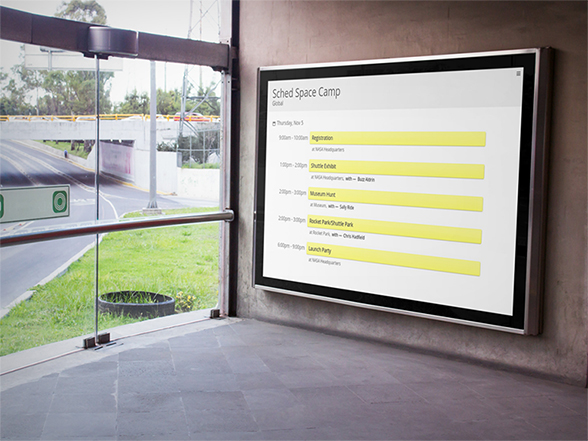
" We were blown away by how easy Sched was to use, how available the support team was to answer questions, and how great the schedule looked and functioned. I love the print signage, batch upload and quick edits for last minute changes. Having that flexibility has been more important than ever. "

" Sched has become the solution for the Sunscreen Film Festival. One of the best aspects of Sched is the ability for attendees to create their own schedules and show what events they're interested in. This data and feedback helps the organization identify areas that may need more staff and know before the event what to expect attendance wise for certain events. "

" Sched made our conference a smooth and interactive experience. As a student led conference it was important that the set up be accessible, clear and user friendly and it couldn't have gone better. The support team was also amazing at Sched, thank you! "

Sched is proud to be recognized for its award-winning event management and scheduling software
Award-winning event management and scheduling software